Spaceframe @spaceframeAR
Spatial notebook for thinking, research, and writing with ✨ spaceframe.xyz Strange Seas of Thought Joined November 2017-
Tweets130
-
Followers2K
-
Following2
-
Likes742
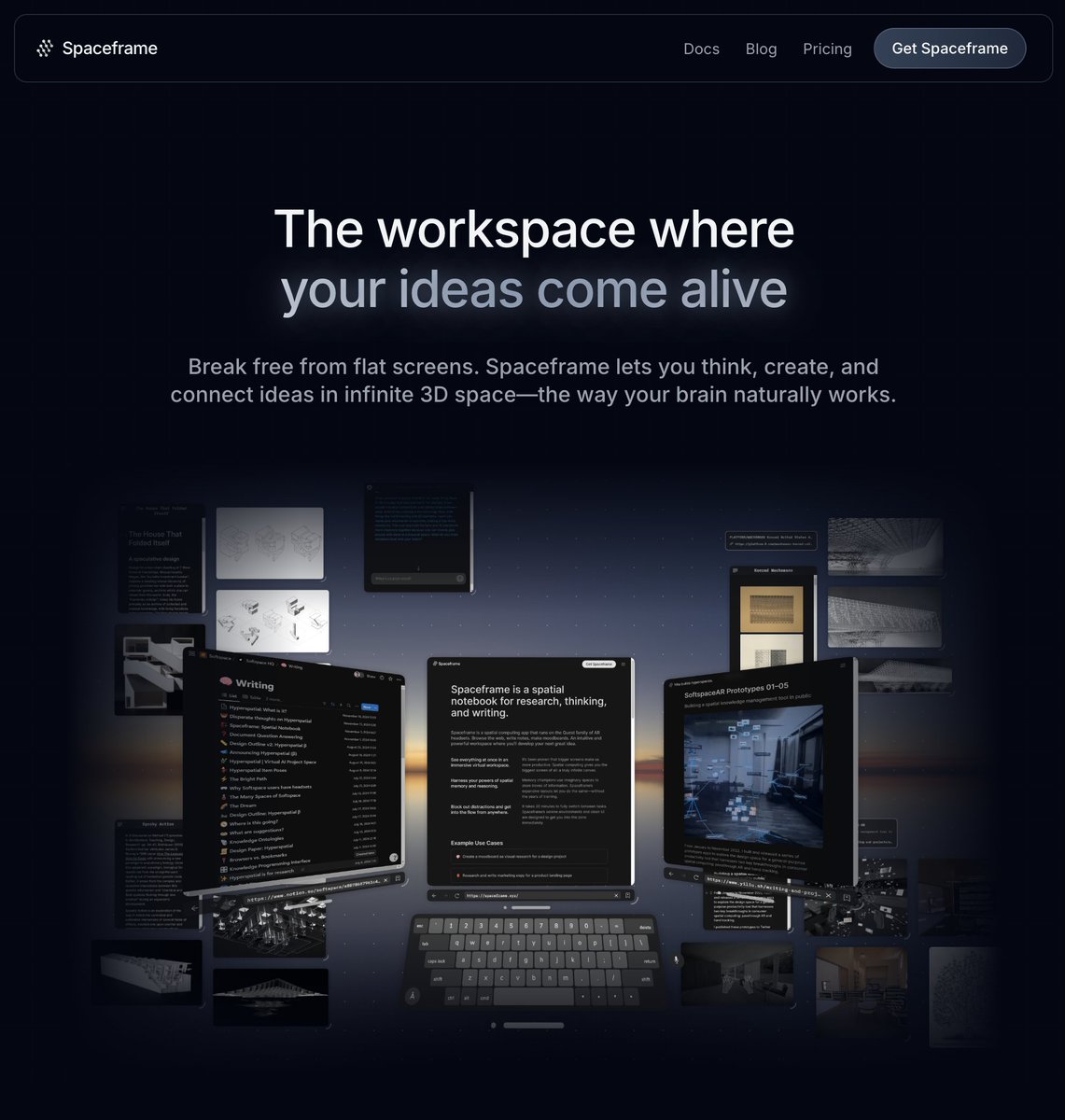
Write-up and initial release are still inbound—it’s just taking longer than planned. Delay mostly driven by product positioning changes caused by talking to @SoftspaceAI users.
I’ll be talking about this tomorrow. Write up soon after and first release after that.
Okay, here’s another peek. I’ve been working on a radical redesign of @SoftspaceAI based on lessons we’ve learned since launch. Three new key ideas in this redesign, all shown in the video. It feels really good and I *want* to dogfood it way more than before.
Working on something big. I want to get it into people’s hands soon to start getting feedback. Stay tuned!
👀
Working on something big. I want to get it into people’s hands soon to start getting feedback. Stay tuned!

🌌 Spatial computing is the future 🤖 Computers gradually climbed the ladder of abstractions, adding more flexibility with each generations. Putting aside the prototypes from the Xerox PARC, we can distinguish five movements: Early 80’s: 8 bits micro computers with monochrome and text heavy user interfaces. Usually displayed in a monospace, monochrome font. The notion of operating system or “user interface” is not yet clearly defined. Early 90’s: Following the Macintosh and Windows introduction, every personal computer now comes bundled with a graphical user interface by default, activated by a combination of mouse movements and keyboard shortcuts. The user environment is a metaphorical desktop, complete with desk accessories (calculator, calendar, clock) and folders. Early 00’s: In 1999 more than 150 millions computers are connected to the web, with the advent of wi-fi and affordable laptop computers, use cases are broadened, the computer leaves the desk and the browser becomes the most important software on our hard disks. The user environment still resemble a metaphorical desk but the migration of tools to the browser has begun. 2010’s: The iPhone puts the web in our pocket and revolutionise the way we think about software with the advent of the “app store” and “app” concepts. The user environment is now a ethereal concept. Our digital lives are now broken down in several parts: the local part that still needs a desktop/file system, the networked part that uses google docs, figma and notion, the mobile part where we have our communications (mail, chat), social media and assets (notes, pictures, synced files). 2020’s: Large language models, generative AI and agents. This new world changes everything. Just like mobile moved the center of gravity of our digital lives to the smartphone, generative AI shuffles the cards once again. There is no need to organize anything now, the computer can organize assets by itself and surface what’s needed just when it’s needed. It can even draft an article, generate a mock up of a user interface or even code. The great equalizer is now a reality putting the power of a very large corporation or group or people in the hands of individuals. The tech industry predicts the existence of 1B$ companies managed by just one person before 2030. Those 5 moments are shocks on the back of a gradual evolution. 📈 Memory size increased, screens got crispier and Moore’s law kept on delivering yearly improvements in computing power. However the user environment of the personal computer you carry in your backpack is largely 40 years old. The one on your smartphone 15 and AI agents are still mainly activated through text commands or prompts. As content generation creates even more files and things to manage, we’ll need a new way to hold those parts together. Files, folders and apps will not do. 💡 The answer may one day look like the Vision Pro (or rather, @SoftspaceHQ but billions of people will need to buy headsets and it’s probable that 2D screens and desktop computers will still be there for some time. “Flat” spatial interfaces like Kosmik, Muse or Freeform provides a good solution to this problem by meshing together files, apps and services. 🧠 The AI becomes a co-presence in the canvas, not just someone you “go to” to ask a question. The canvas provides the means to store content, edit it, share it and also add that proactive layer we need to finally go beyond the desktop metaphor!

@Apple and @Meta's ambitions for productivity in #SpatialComputing have a major Achille's Heel. (Good thing there's a solution already in front of you.)

@AJ2088RD 👍🏼 let us know if you run into any other issues!
@AJ2088RD Hi! Thanks for flagging this. We’ll look into it right away.
@gapascarella So happy to hear that! We keep working to make it better :)
Thanks for the shoutout!

Softspace is a really cool, futuristic productivity app on #MetaQuest #VR #MixedReality #Handtracking #QuestPro #Colorpassthrough #Productivity 🤯
Thanks for the shoutout Tony!
Softspace Presents A Spatial Notebook For Mixed Reality, Coming Soon To Quest - @UploadVR uploadvr.com/softspace-mixe… #VirtualReality #VR
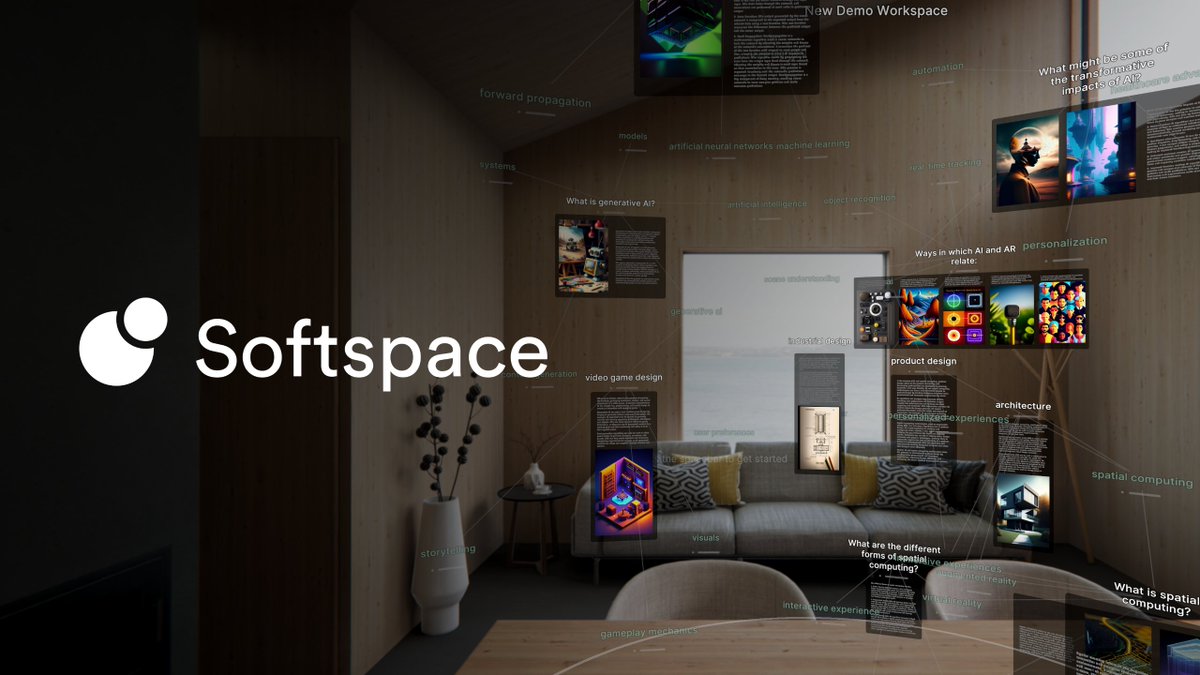
Softspace is live on the Quest Store! 🥳 Here's quick rundown of its features and how to get it for free right now. ↓
@hamshoes5 Yes we’re looking at how this works and want to implement it, especially for the web browser.
Thanks for this feedback! Yeah, group selection is on the roadmap. Let us know if you run into any other issues or want other features! 👯♂️

This is a neat app, arguably better than native Quest OS for casual productivity. Makes good use of Bluetooth keyboard occlusion while in MR mode too, which Quest Home doesn't normally do. The only thing really missing is a selection tool for easily moving and deleting items.
@Lunayian Great idea! We’ve already encountered some very enthusiastic demo users making wild workspaces with items in far-flung corners.
@astro_riot @tombielecki +1 for Quest 3 😁
@SoftspaceHQ Watching each iteration as you pushed out the boundaries of how Tools for Thought can just work better in 3D has been inspiring and now it feals like liftoff 🚀 perfect timing for Quest3 & AVP and it's all onwards and upwards from there what a journey 🔭
[NEW] Features, Features, Features! by @SoftspaceHQ softspace.substack.com/p/features-fea…
I should get a Quest…
If you've used our Prototypes or the Alpha, you'll know that we've put a lot of thought into designing a natively spatial UI that is simple yet powerful.

Codex @codexeditor
7K Followers 7K Following A developer on a journey to build a FOSS, local-first, block-based knowledge workspace using standoff markup & hypergraphs. INTJ. 🦋 https://t.co/XRknP9ZrTD
Ben Lang @benz145
60K Followers 9K Following Reporting on XR for a decade+, co-founder of leading independent VR news pub @RtoVR. Journalist & analyst, not evangelist.
TonyVT SkarredGhost @SkarredGhost
36K Followers 20K Following #AR #VR developer, consultant, blogger. I love #gamedev, #China, and the Zergs' #QueenOfBlades. Most of the time I've no idea what I'm doing.
Alexander Obenauer @alexobenauer
7K Followers 4K Following I explore the interfaces with which we think & the future of personal computing. I also make books.

gray ❄️🫧 @graycrawford
8K Followers 2K Following design * product @lumalabsai ・ latent space explorer * generator ・ spatial design engineer ex @leapmotion @nasaJPL ・ av ml artist

Rob Haisfield @RobertHaisfield
10K Followers 4K Following cofounder of @websim_ai, imagining new internets with our users. GenAI, TfT, BeSci, HCI, UX. Ex-Tana, Edge & Node, Spark Wave

slic fredric @stfredrico
1 Followers 3K Following

Linus @linusbehrbohm
135 Followers 949 Following delusional anti-hero • love people helping other people • 🇩🇪 • tech • music • language • biology • economics • code
Source Parts @SourceParts
591 Followers 542 Following Source, Design, Engineer, Assemble, Test, and Ship It!

LiRiu @WIZ6UwegOD40Ccj
56 Followers 102 Following 💰Web3代码优化NPC | DeepSeek🐳完全胜任我的工作 | 规划失业生活的同时尝试对抗AI🤖... | 在镇压AI的人类军队中担任炮灰💂
Nino @OHennhoefer
593 Followers 8K Following PhD candidate researching uncertainty in AI/ML. Long-term views on equities and secular trends.
Markdown Engineer @NoahGreenSnow
312 Followers 2K Following The code is generated. The markdown is engineered.
mrsunday @mrsunday777
783 Followers 1K Following The silliest of cats round town' Building @VesselLabs 💫HoverNet 📨HoverChat



Vincent Ortega Jr. @vincentortegajr
6K Followers 6K Following AI Crypto Quant. AI Dev. 9-Figures Online. 50 Million Paid To Affiliates. 250k+ Customers 150 Countries. 800k+ Followers on https://t.co/YCNWBcQ6t6
Gavi Schneider @gschnei
1K Followers 5K Following Metal 🤘🏻, Beer 🍺 & Programming ⌨️ IDF SFC (Res) 🇮🇱 Full time concert goer 🎸 Master of karate and friendship for everyone 🌞
🤖 Chad Molder 🕵... @A4815162342Z
1K Followers 2K Following Internet freak 🕵️♂️🧠🪤 Blockchain NFA/DYR 💲IA guy ₿ SRE Fan of agents like Openclaw Codex Claude


Ty @tschlic
483 Followers 3K Following mostly data yapping | occasional socialist shill | Fighting for our right to party

Michaelkaoi @michaelkaoi
60 Followers 2K Following
Tanuj Bhojwani @tanujb
2K Followers 3K Following used to run @peopleplusai I wrote a book along with @NandanNilekani You can get it here : https://t.co/FUi8fnuJMT

Grzegorz Brzęczyszcz... @DerAFerrum
419 Followers 3K Following Stupid Problems Require Stupid Solutions Where/When/How ∰ 🜴 🜔 ≋ ∂t ↺


Kieran @kierandotai
4K Followers 7K Following Building at the edge of agents, identity, and whatever comes next.
Nathaniel @potrepka
4K Followers 3K Following building @minimadotdev ✧ creating sound / visuals ✧ collector @mathcastles ✧ investor @zcash @octra @miladycult ✧ special people, special places ✧ 🐢🏆

DatBoiWithNoLife @No_Life_Nobody
10 Followers 3K Following
benferrum - e/jounce @BenFerrum
571 Followers 2K Following Send me data I give you a network: https://t.co/m3BPm7Fk0B - Graph Shaman -


kavin @KavinMayweather
29 Followers 372 Following
Tom Vaillant @buriedsignals
2K Followers 1K Following Investigative technologist working on stories hidden in data. Building AI tools for journalists and researchers.
Laurens Nys @laurensnys
153 Followers 2K Following Founder of Ortelian - deploying... 14k followers on LinkedIn: https://t.co/Mwit8JxBoq
Jared S. @greatScott004
434 Followers 5K Following https://t.co/R4q1VJzCT9 | Previously @medialab, @MGHCancerCenter, @MITKavli
Camilo Hoyos @camilohoyos
58 Followers 2K Following


Fermex95 @fermex95
37 Followers 2K Following

Cory Shoaf @coryshoaf
217 Followers 243 Following 👽 / https://t.co/4YlMnUw1oW / https://t.co/gm1ow74pLZ
Roberto Gogoni @ragogoni
1K Followers 6K Following
simoñ john thomas @damnsohn
476 Followers 2K Following Founder @octusnetwork_ | Building tools to combat the isolation epidemic through AI, data, and community.

Daniel Massey @pichiste
390 Followers 704 Following
Yiliu @yiliush
5K Followers 1K Following building @collabs_inc formerly @olafureliasson dropout @harvardgsdTrends for United States
You might like